How AI is Transforming Email Management in 2024

From intelligent categorization to natural language rules, discover how AI is revolutionizing inbox productivity.
The average professional spends 28% of their workday managing email—over 2 hours daily reading, organizing, and responding to messages. According to a McKinsey Global Institute study, that's nearly 30% of the entire workweek lost to email.
But what if AI could handle most of that burden for you?
The Email Overload Crisis
Email was designed to make communication easier. Instead, it's become a constant source of distraction, stress, and productivity loss.
Consider the numbers:
- The typical knowledge worker receives 120+ emails per day (Radicati Group)
- 64% of workers say email causes unintended consequences from poor communication (Forbes)
- Email overload costs U.S. businesses an estimated $1.8 billion annually in lost productivity
Traditional email management approaches—filters, folders, and manual rules—require constant maintenance. They're reactive rather than proactive. That's where AI fundamentally changes the game.
How AI Changes Everything
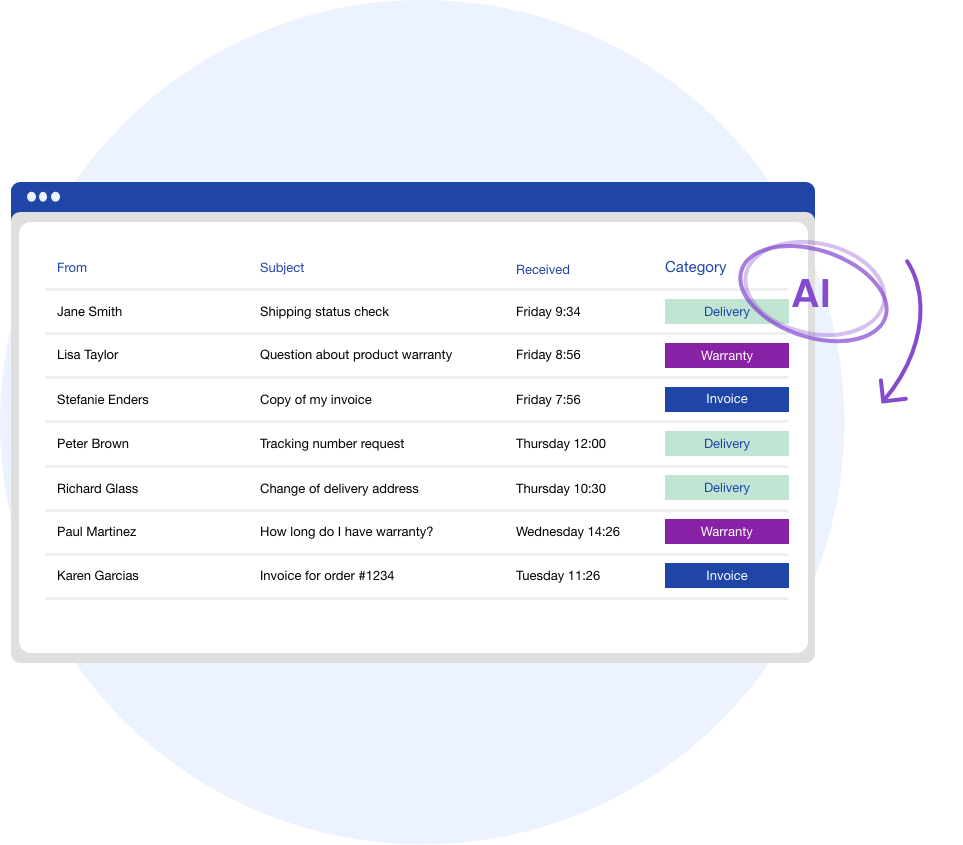
Modern AI email assistants go far beyond simple keyword matching. They understand context, learn your preferences, and make intelligent decisions about how to handle your mail.
1. Semantic Understanding
Traditional filters match exact keywords: "invoice" → Finance folder.
AI understands meaning:
- "Bill for September"
- "Payment needed for Q3"
- "Your September statement is ready"
All recognized as the same category—without you defining every variation.

2. Behavioral Learning
AI observes patterns in how you interact with email:
| Action | What AI Learns | |--------|----------------| | You always read emails from Sarah immediately | Sarah is VIP | | You archive newsletters from TechCrunch unread | Lower priority | | You respond to client emails within an hour | High urgency pattern | | You ignore promotional emails from retail brands | Auto-archive candidates |
Over time, your inbox becomes uniquely tuned to your priorities—without you configuring anything.
3. Natural Language Rules
Instead of wrestling with AND/OR logic and complicated filter builders, you tell your AI assistant what you want in plain English:
"Archive all newsletters older than 7 days"
"Flag emails from my VIP clients and alert me on Slack"
"Summarize email threads longer than 5 messages"
"Draft a polite decline for meeting requests on Fridays"
This is the difference between programming a computer and having a conversation with an intelligent assistant.
4. Smart Summarization
Long email threads are productivity killers. AI can:
- Distill a 20-message conversation into 3-5 bullet points
- Highlight action items that mention you specifically
- Identify who's waiting on what to prevent balls from dropping
- Surface the latest asks without reading the entire history
5. Contextual Draft Assistance
AI doesn't just categorize—it helps you respond:
- Analyze the email's tone and intent
- Suggest reply templates based on your writing style
- Auto-fill information from your calendar, CRM, or company docs
- Let you send thoughtful replies with a single click
The Productivity Impact
Early adopters of AI email management report saving 5-10 hours per week. But time is just one metric.
The real benefits are:
| Benefit | Impact | |---------|--------| | Mental energy | No more decision fatigue from triaging | | Focus time | Fewer interruptions from irrelevant emails | | Response quality | AI suggestions improve your replies | | Stress reduction | Inbox under control = peace of mind | | Zero dropped balls | AI tracking prevents forgotten follow-ups |
As Cal Newport argues in Deep Work, the ability to focus without distraction is increasingly rare—and increasingly valuable. AI email management protects that focus.
The Future: Agentic Email
We're moving beyond AI assistance toward AI agents that act on your behalf:
Current state:
- AI suggests a response
- You review and send
Emerging capability:
- AI drafts and sends routine responses automatically
- You review only exceptions and escalations
- AI manages follow-ups, scheduling, and coordination
This is the vision of Agentic AI: systems that don't just analyze but take action within defined boundaries.
Getting Started with AI Email
The key to successful AI email management is starting small:
- Begin with automatic categorization — Let AI learn your patterns for 2 weeks
- Add natural language rules — Start with one: newsletter archival
- Enable smart summarization — For threads over 5 messages
- Graduate to draft assistance — For frequently recurring email types
- Explore agentic features — Auto-replies, scheduled follow-ups
Before long, you'll wonder how you ever managed email without AI.
Ready to reclaim your inbox? Try Mailsmart free for 7 days and experience the future of email management.
Further Reading:
- Deep Work by Cal Newport — Why focus matters more than ever
- The Social Economy (McKinsey) — Research on email productivity
- Email Automation Statistics 2024 — The latest data
Related Articles:
Get your inbox to Zero.
Join thousands of professionals saving 10+ hours a week with Mailsmart.
Start Free Trial